How to Downloading Python
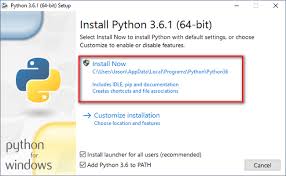
All Python downloads can be found at https://www.python.org/downloads/
.
You need to choose a Python version before you download.
There are currently two versions:
• Version 2 is coming to the end of its life but is still widely used.
• Version 3 has been around for some time; people have been slow to convert but it is gaining a following.

Editing Your Python Code
I recommend using either a language-sensitive editor or the editor that comes with your Python installation.
• On Windows, use the IDLE Integrated Development Environment ( IDE ) or perhaps
Notepad++.
• On Linux, there is a selection of editors— vi, vim, emacs, gedit , and so on; I use gedit .
• On OS X, TextMate works fine, but there are other options.
When you are more experienced, you might upgrade to using an IDE.
There is a list of Python-compatible IDEs available at
https://wiki.python.org/moin/ IntegratedDevelopmentEnvironments .
←←
All Python downloads can be found at https://www.python.org/downloads/
.
You need to choose a Python version before you download.
There are currently two versions:
• Version 2 is coming to the end of its life but is still widely used.
• Version 3 has been around for some time; people have been slow to convert but it is gaining a following.
Editing Your Python Code
I recommend using either a language-sensitive editor or the editor that comes with your Python installation.
• On Windows, use the IDLE Integrated Development Environment ( IDE ) or perhaps
Notepad++.
• On Linux, there is a selection of editors— vi, vim, emacs, gedit , and so on; I use gedit .
• On OS X, TextMate works fine, but there are other options.
When you are more experienced, you might upgrade to using an IDE.
There is a list of Python-compatible IDEs available at
https://wiki.python.org/moin/ IntegratedDevelopmentEnvironments .
←←

No comments:
Post a Comment